RomRaider Logo

RomRaider

Open Source ECU Tools
 FAQ •  Register •  Login 

RomRaider

Documentation

Community

Developers

It is currently Tue Dec 23, 2025 9:16 am

All times are UTC - 5 hours [ DST ]


Post new topic Reply to topic  [ 62 posts ]  Go to page Previous  1, 2, 3, 4, 5
Author Message
 Post subject: Re: WIP - How to open MS41 with IDA (setup memory map)
PostPosted: Mon Jun 04, 2018 2:50 am 
Offline
Experienced

Joined: Wed Aug 27, 2014 7:57 am
Posts: 259
Any idea how this could be solved?

I know the reset handler starts at 0x300 but with the given instruction it wants to jump to 0x80300 obviously. So i tend to think the position of the reset handler and the other subs needs to be shifted?! Setting DPP0 to 20h doesn´t really help. What am i missing?


You do not have the required permissions to view the files attached to this post.

_________________
MS43 wiki

MS42 wiki


Top
 Profile  
 
 Post subject: Re: WIP - How to open MS41 with IDA (setup memory map)
PostPosted: Sun Mar 12, 2023 4:34 pm 
Offline
Newbie

Joined: Sun May 22, 2022 9:59 am
Posts: 51
dschultz wrote:
The default c166 memory map that comes with IDA is not accurate for the MS41 memory layout.

In reference to the memory map posted above I created a custom c166.cfg file to replace the one that comes with IDA tailored for the MS41.
Save it in the "C:\Program Files (x86)\IDA 6.7\cfg\" folder.

Before you play, make a copy of your current .idb file so you can go back to what you had before.
Open your .mem file with IDA. Select Siemens c166 family as the processor. OK all the dialogues to open the ROM.
Once you have it open Load the script file to set the DPPs and format each segment.
Once you run the IDA script you should have a ROM that is >75% disassembled. A few functions need to be visited in the 0x20000 and 0x30000 segments. The ones with red prefix lines, you can go to the start of each red section and press 'p' to create a function. You will see more of the code gets disassembled and in ~10 minutes you can get it all disassembled.

You will need to go to the jump table ~0x2400 and convert the data to words and then set the appropriate offset (ctrl-R) to either 0x20000 or 0x30000 whichever references a sub_.

How the C166 deals with DPP Registers - http://www.hitex.com/fileadmin/img/down ... isters.pdf


I used this instructions to dissembled MS41.2, script didn't change DPP values. But flash look like it is good disassembled
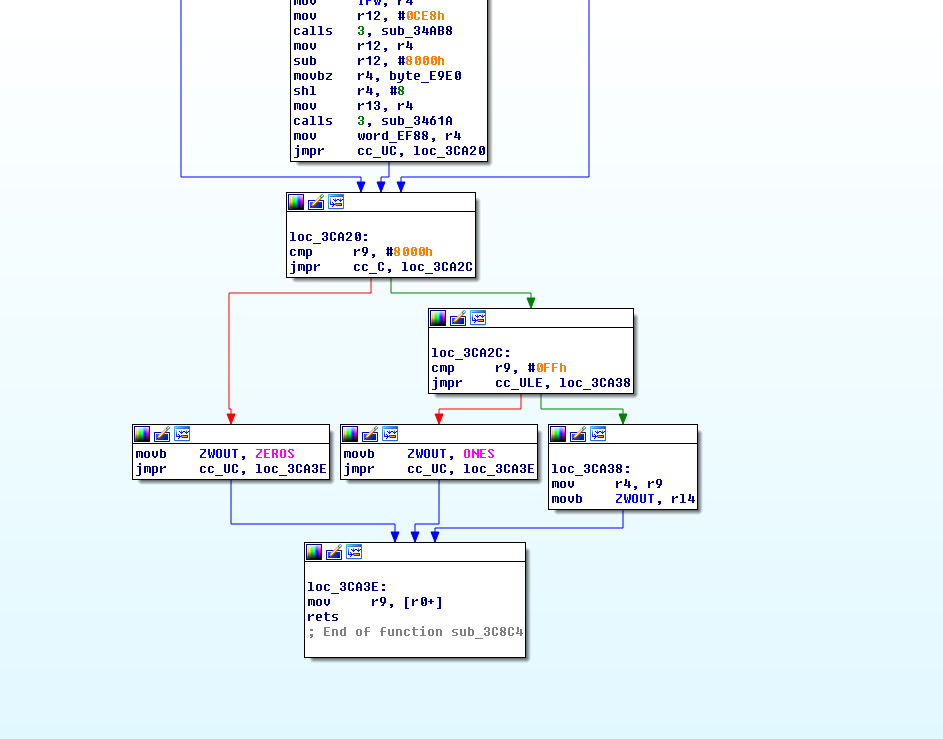
Is this function to determine ignition angle? to me it look like it is?
Image

I name it like it is in Bosch but that is "Ignition Angle - Base"
<address>0x0000E96E</address>

I want to make here jump to manipulate ignition angle when LC is active


Top
 Profile  
 
Display posts from previous:  Sort by  
Post new topic Reply to topic  [ 62 posts ]  Go to page Previous  1, 2, 3, 4, 5

All times are UTC - 5 hours [ DST ]


Who is online

Users browsing this forum: No registered users and 2 guests


You cannot post new topics in this forum
You cannot reply to topics in this forum
You cannot edit your posts in this forum
You cannot delete your posts in this forum
You cannot post attachments in this forum

Jump to:  
Powered by phpBB © 2000, 2002, 2005, 2007 phpBB Group
Style based on FI Subsilver by phpBBservice.nl