|
RomRaider
Documentation
Community
Developers
|
| Author |
Message |
|
qoncept
|
Post subject: Re: GUI overhaul -- what do you want?  Posted: Posted: Wed Dec 22, 2010 3:44 pm |
|
 |
| Administrator |
 |
Joined: Fri Jan 13, 2006 4:33 pm
Posts: 2079
Location: Palo, IA
|
qoncept wrote: dkGoodrich dot com wrote: 2] Won't overlay a 0-5v input, My tuning wideband is a analog output, not a serial. Most every tuner in my state uses an analog output, not a serial. Romraider needs to be able to do this and have user adjustable scaling for various widebands. Well, looks like we already have an answer, and a solution. viewtopic.php?f=15&t=6541&start=1
_________________
- Jared
|
|
| Top |
|
 |
|
qoncept
|
Post subject: Re: GUI overhaul -- what do you want? Posted: Thu Dec 30, 2010 9:23 pm |
|
|
| Administrator |
|
Joined: Fri Jan 13, 2006 4:33 pm
Posts: 2079
Location: Palo, IA
|
|
Ok, what about color scaling? Currently the entire table is read and scaling is figured between the highest and lowest values actually found in the table. Does it make any more or less sense to skip reading the whole table and scale colors from the highest to lowest possible value? I think there may be some performance issues in big tables the way it is today, though I've never experienced it.
_________________
- Jared
|
|
| Top |
|
|
|
williaty
|
Post subject: Re: GUI overhaul -- what do you want? Posted: Thu Dec 30, 2010 9:28 pm |
|
|
| Experienced |
Joined: Tue Jul 24, 2007 10:28 pm
Posts: 349
|
|
To me, it's more important to have it scaled across the values I'm actually using. There's several tables where I'm using nothing even CLOSE to the max or min value and having it color based on the range I'm actually using allows me to see the "shape" of the table. If it colored across the possible range, I'd only have one or two colors.
|
|
| Top |
|
|
|
qoncept
|
Post subject: Re: GUI overhaul -- what do you want? Posted: Thu Dec 30, 2010 9:37 pm |
|
|
| Administrator |
|
Joined: Fri Jan 13, 2006 4:33 pm
Posts: 2079
Location: Palo, IA
|
|
Makes sense and that was my thinking when I originally implemented it. I may even be making these performance issues up.. I just tried it and while the change wasnt instant it definitely wasnt a problem.
_________________
- Jared
|
|
| Top |
|
|
|
htmwrx
|
Post subject: Re: GUI overhaul -- what do you want? Posted: Sat Jan 08, 2011 6:30 pm |
|
|
| Newbie |
Joined: Mon Nov 15, 2010 6:34 am
Posts: 30
|
would there be anyway to implement a list of mods in saving. would help those with a library of tunes. Maybe save with an attached or secondary .txt file or something. just thinking out loud 
|
|
| Top |
|
|
|
qoncept
|
Post subject: Re: GUI overhaul -- what do you want? Posted: Tue Jan 11, 2011 7:40 pm |
|
|
| Administrator |
|
Joined: Fri Jan 13, 2006 4:33 pm
Posts: 2079
Location: Palo, IA
|
|
I've thought about that a bit in the past but never really got anywhere with it. Sort of a rom manager. I think that's beyond my current scope but definitely something to look at for the future.
How do people feel about listing open roms in the tree structure in the current GUI? Do you prefer how EcuFlash has a seperate pane for selecting which rom you're viewing? I'm leaning that way.
_________________
- Jared
|
|
| Top |
|
|
|
williaty
|
Post subject: Re: GUI overhaul -- what do you want? Posted: Tue Jan 11, 2011 7:44 pm |
|
|
| Experienced |
Joined: Tue Jul 24, 2007 10:28 pm
Posts: 349
|
|
This is coming from a Mac guy, so I'm used to things being laid out a little different but...
What about treating each ROM as a separate document with its own window? Right now, if I have the same table open in two different ROMs, you have have to pay a hell of a lot of attention to figure out which instance of the table is from which ROM. If all the tables from a given ROM were segregated into their own window (or pane, I guess, since it's Windows), it'd be much easier to look at the title for the window containing the open table and know what they heck you were doing.
Overall, I think confusion is the biggest limitation with RR. The functionality is 95% there. The ease and speed of working quickly and accurately when trying to meet a deadline isn't.
|
|
| Top |
|
|
|
qoncept
|
Post subject: Re: GUI overhaul -- what do you want? Posted: Tue Jan 11, 2011 7:49 pm |
|
|
| Administrator |
|
Joined: Fri Jan 13, 2006 4:33 pm
Posts: 2079
Location: Palo, IA
|
|
Glad you said that because I completely forgot I was thinking about a tab for each open rom before. The only problem with that is it doesn't really facilitate comparing tables side by side.
_________________
- Jared
|
|
| Top |
|
|
|
williaty
|
Post subject: Re: GUI overhaul -- what do you want? Posted: Tue Jan 11, 2011 7:53 pm |
|
|
| Experienced |
Joined: Tue Jul 24, 2007 10:28 pm
Posts: 349
|
|
Well, I thought about that too as I was writing that post. We do have the Compare function already. If I wanted to see both tables at the same time, on a mac I'd pull one window to the left and one to the right, make the comparison, and then make the windows fill the screen again. That's no less awkward than what we have to do now to see all of a table and it still brings the benefit of making it easier to determine where a given table came from.
|
|
| Top |
|
|
|
dschultz
|
Post subject: Re: GUI overhaul -- what do you want? Posted: Tue Jan 11, 2011 9:15 pm |
|
|
| RomRaider Developer |
Joined: Thu May 21, 2009 1:49 am
Posts: 7323
Location: Canada eh!
|
qoncept wrote: I've thought about that a bit in the past but never really got anywhere with it. Sort of a rom manager. I think that's beyond my current scope but definitely something to look at for the future.
How do people feel about listing open roms in the tree structure in the current GUI? Do you prefer how EcuFlash has a seperate pane for selecting which rom you're viewing? I'm leaning that way. Personally I don't like the EcuFlash interface. The tree opens expanded and the colours are painful. It's also not netbook friendly. The graph is only as tall as the table window, I could go on. But, I don't tune cars and have multiple ROMs open to compare, copy and paste tables. Maybe something as simple as colour separation for the map pane associated with each ROM open.
|
|
| Top |
|
|
|
nsfw
|
Post subject: Re: GUI overhaul -- what do you want? Posted: Wed Jan 12, 2011 4:30 am |
|
|
| Moderator |
Joined: Thu Nov 23, 2006 2:23 am
Posts: 2565
|
There's a color map in EcuFlash called "sunshine" that's not too bad, but I like RomRaider's better. If I may plug my own code, I like the coloring in my Timing Editor utility most of all.  White in the middle, light blue for low values, yellow for high values, with black text. And I agree that it's a nuisance having the tree expanded when you open a ROM. In fact I think it would be great to have a "big tree" group in the tree with shortcuts to the key tables for boost, fueling, and timing (boost targets, initial WGDC, open loop fueling, base and advance timing). The definitions shouldn't change much to make that happen, but rather there should be a way to create a group whose 'tables' actually just refer to real tables in other groups. I have mixed feelings about separating the list of ROMs from the tree of tables. I sometimes edit the wrong tables when I'm using EcuFlash, which is irritating. But come to think of it, that probably mostly because the table windows can appear atop the tree view and the ROM list (and anything else - major annoyance), and because the table windows can be narrow enough to have essentially no visible title (RR seems to have a minimum width, which is great). So yeah, try it. It's got potential.
_________________
2005 Legacy GT w/ ATP 3076, IWG, MBC, BCS, BC 272, LC, FFS, OMG
Please don't send questions via PM. Post a thread and send me a link to it instead. Thanks!
|
|
| Top |
|
|
|
dschultz
|
Post subject: Re: GUI overhaul -- what do you want? Posted: Wed Jan 12, 2011 4:54 am |
|
|
| RomRaider Developer |
Joined: Thu May 21, 2009 1:49 am
Posts: 7323
Location: Canada eh!
|
NSFW wrote: And I agree that it's a nuisance having the tree expanded when you open a ROM. In fact I think it would be great to have a "big tree" group in the tree with shortcuts to the key tables for boost, fueling, and timing (boost targets, initial WGDC, open loop fueling, base and advance timing). The definitions shouldn't change much to make that happen, but rather there should be a way to create a group whose 'tables' actually just refer to real tables in other groups. So, like a customizable "Favourites" tree. I think I've seen that before in Another Type of Rom editor...
|
|
| Top |
|
|
|
nsfw
|
Post subject: Re: GUI overhaul -- what do you want? Posted: Wed Jan 12, 2011 8:28 am |
|
|
| Moderator |
Joined: Thu Nov 23, 2006 2:23 am
Posts: 2565
|
Actually I hadn't even thought of making it customizable, but it's probably a better approach than what I did have in mind. No need to modify definition files, or debate which tables to promote like this - just put an "add to favorites" button or menuitem somewhere, and everybody can put whatever tables they want. I gather ATR has this feature already? 
_________________
2005 Legacy GT w/ ATP 3076, IWG, MBC, BCS, BC 272, LC, FFS, OMG
Please don't send questions via PM. Post a thread and send me a link to it instead. Thanks!
|
|
| Top |
|
|
|
qoncept
|
Post subject: Re: GUI overhaul -- what do you want? Posted: Wed Jan 12, 2011 2:07 pm |
|
|
| Administrator |
|
Joined: Fri Jan 13, 2006 4:33 pm
Posts: 2079
Location: Palo, IA
|
|
That's kind of along the lines (well, completely opposite really) of what I was thinking with hiding tables, and it's why I'd like to see the definitions made more consistant, so the same tables have the same name in every rom.
Really, you could do it today in the definition file. Just find the tables you like most and change the category attribute to something like "! Favorites"
I was planning on adding the hide feature in the overhaul. Basically, RR will save a new xml (to your user directory!) with a table name and which ecu revision(s) to hide it in. And by hide I think I might actually just make an extra folder at the end called Unused or Hidden or something.
_________________
- Jared
|
|
| Top |
|
|
|
02rexwi
|
Post subject: Re: GUI overhaul -- what do you want? Posted: Wed Jan 19, 2011 4:11 am |
|
|
| Experienced |
Joined: Wed Jul 16, 2008 11:32 pm
Posts: 324
|
A couple ideas on changes that would make the logger more user friendly: On the MAF scaler tab- *Having a spot that tells you if you are in open loop or closed loop would be helpful, a simple spot to put the number would even work (8 for closed loop in my car, 10 for open loop) On the graph page- *Being able to select the line color would be a nice feature manually instead of changing it each time u click a new parameter *If you pause the graph page and leave your cursor in one spot for more than a couple seconds it would be nice to have a small box pop up with the data, for example- 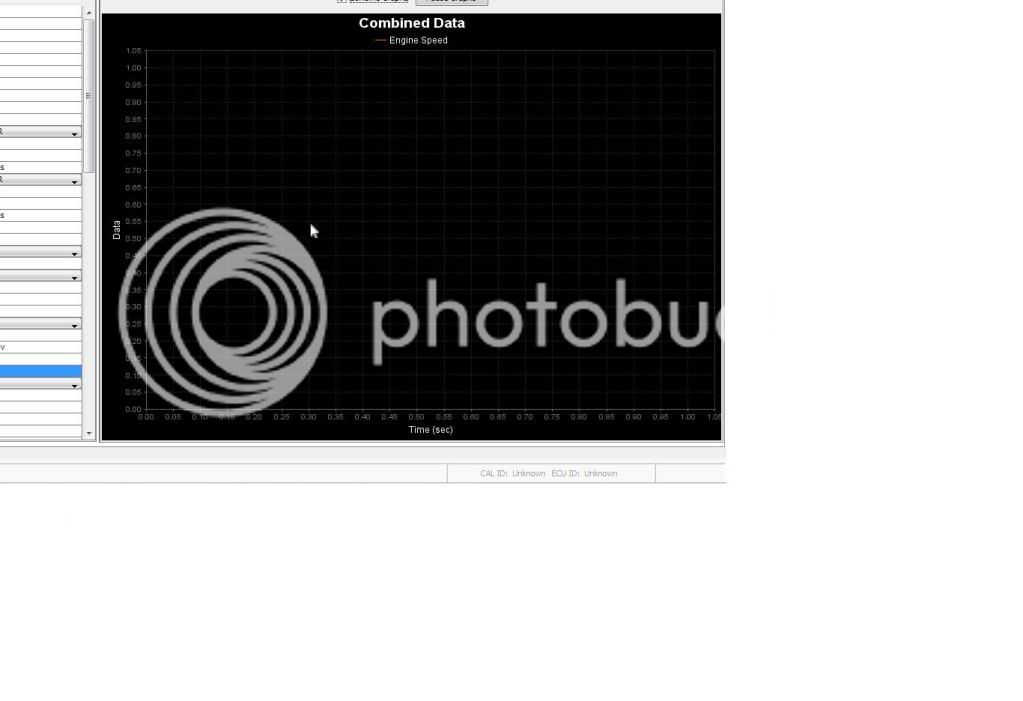 There would be a box pop up with .55 by the cursor in this picture^ Having an easy way to configure the 0-5 volt scaling of the TGV sensor wires in Romraider would be a nice feature as well. I'm sure there's a few other things I can think of that may help. I'll report back.
|
|
| Top |
|
|
Who is online |
Users browsing this forum: No registered users and 11 guests |
|
You cannot post new topics in this forum
You cannot reply to topics in this forum
You cannot edit your posts in this forum
You cannot delete your posts in this forum
You cannot post attachments in this forum
|

|


